Set up LimitedSniper on your PC
Everything from the download to your first snipe, one step at a time. It takes about 10 minutes, and you only do it once.
What you need
Get your plan and license key
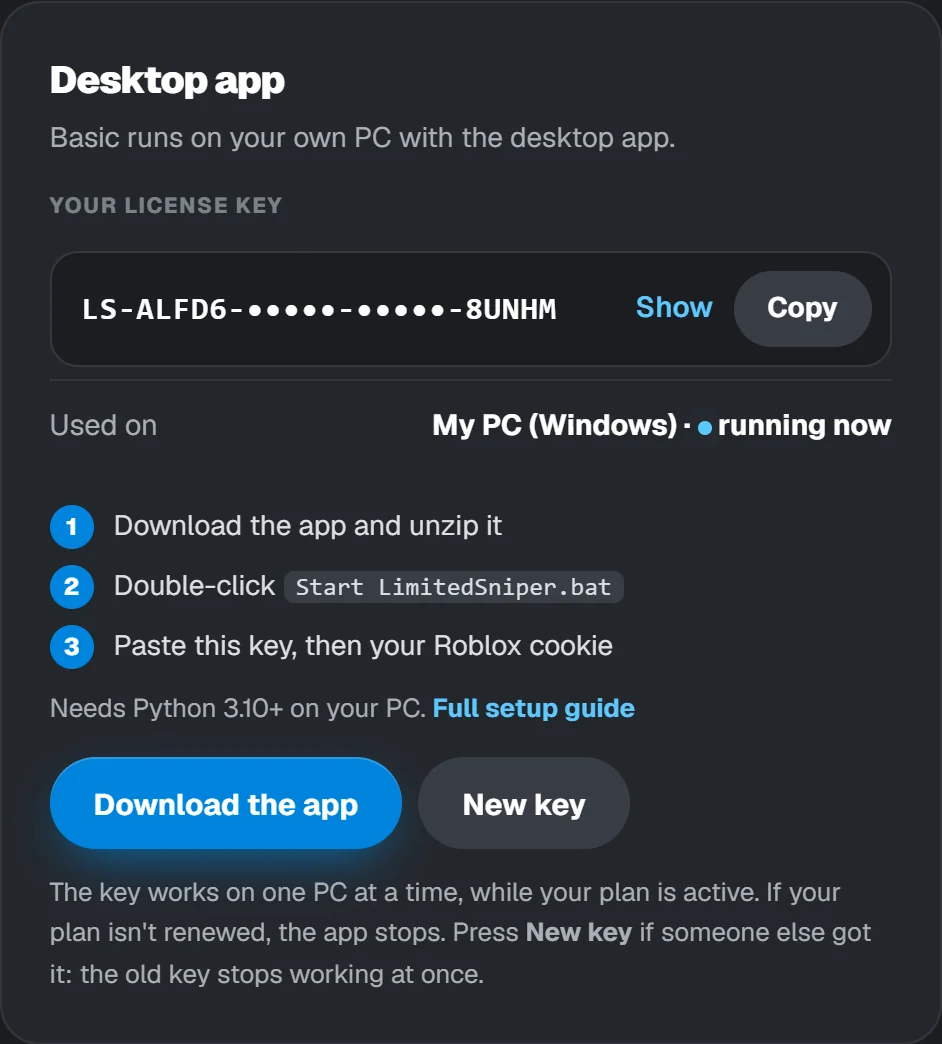
After you pay, open your account page. The Desktop app card has your license key and the download button.
- Go to limitedsniper.com/account and log in.
- In Desktop app, press Copy next to your key.
- Keep this page open: you'll download the app from here in step 3.
Install Python
The app is written in Python, so your computer needs Python 3.10 or newer. It's free and takes two minutes.
- Go to python.org/downloads and press the yellow Download Python button.
- Open the file you downloaded.
- Tick "Add python.exe to PATH" at the bottom of the first screen. This is the step people miss.
- Press Install Now and wait until it says it's done.
Install Python 3.13
The first screen of the Python installer. Tick the highlighted box.
- Go to python.org/downloads and download the macOS installer.
- Open the
.pkgfile and click through the installer. - When it's done, double-click Install Certificates.command in the Python folder that opens. This lets Python make secure connections.
Most Linux systems already have Python 3. If not, on Ubuntu or Debian:
sudo apt install python3 python3-pip
python --version (Mac: python3 --version). Anything from 3.10 up is fine.Download and unzip it
- On your account page, press Download the app. You get
LimitedSniper.zip. - Find it in your Downloads folder, right-click it and choose Extract All… (Mac: double-click it).
- Pick a place you'll find again, like Documents, and press Extract.
- Open the new LimitedSniper folder. You'll see these four files.
Start the app
Windows: double-click Start LimitedSniper.bat.
Mac / Linux: open Terminal in the LimitedSniper folder and type bash start.sh.
A black window opens. The first time, it installs one small add-on it needs (aiohttp), so it needs internet. After a few seconds the panel opens in your browser at http://127.0.0.1:8080.
Installing aiohttp, one time only...
  License: Enter your license key to start.
[18:46:31] Rolimons loaded: 2583 limiteds

  LimitedSniper is running. Panel: http://127.0.0.1:8080
  Keep this window open while you snipe.
Windows says "Windows protected your PC"? That shows for many files downloaded from the internet. Press More info, then Run anyway.
Your antivirus may also ask the first time. The app only talks to roblox.com, Rolimons and limitedsniper.com.
Windows protected your PC
Microsoft Defender SmartScreen prevented an unrecognized app from starting. More info
Paste your license key
- The panel asks for your key. Paste the key you copied in step 1.
- Press Activate. The top bar now shows your plan, how many items you can watch and when your plan renews.
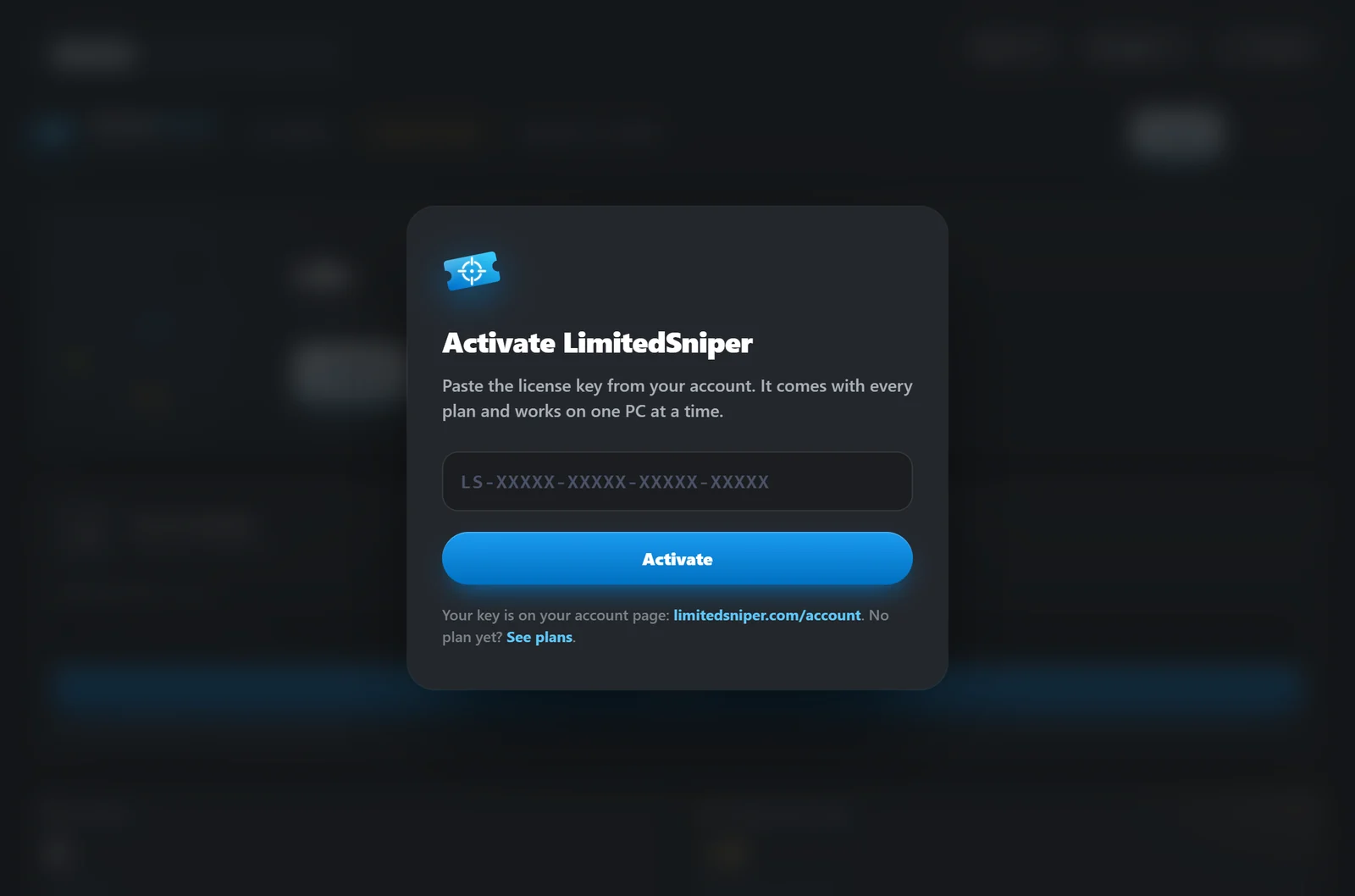

After activating: your plan in the top-left, and the License button to see or change your key.
Connect your Roblox account
The sniper buys with the Roblox account whose .ROBLOSECURITY cookie you paste here. Here's how to get it:
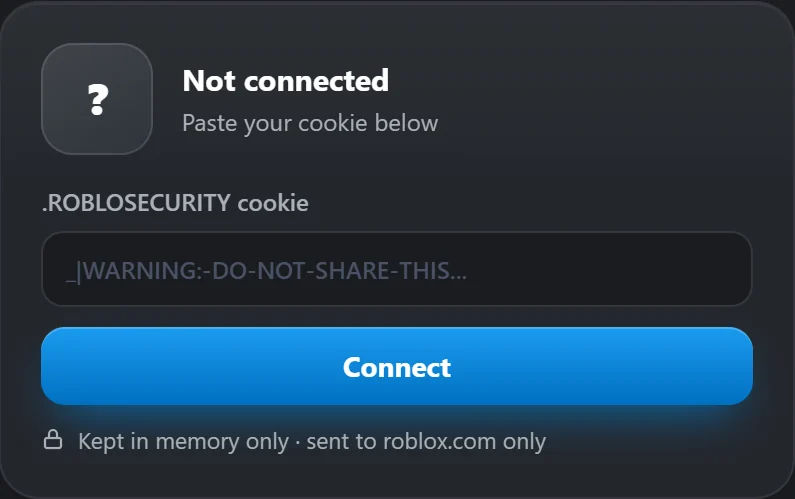
Paste it in the panel and press Connect. Your username and Robux appear.
Add the limiteds to snipe
- In Watchlist, press the big + tile (or type in the search box).
- Pick from Popular right now, or search by name, acronym or item ID, and press + Add.
- Use the switch on each card to turn items on and off. Basic watches up to 5 at once; extra items stay paused.
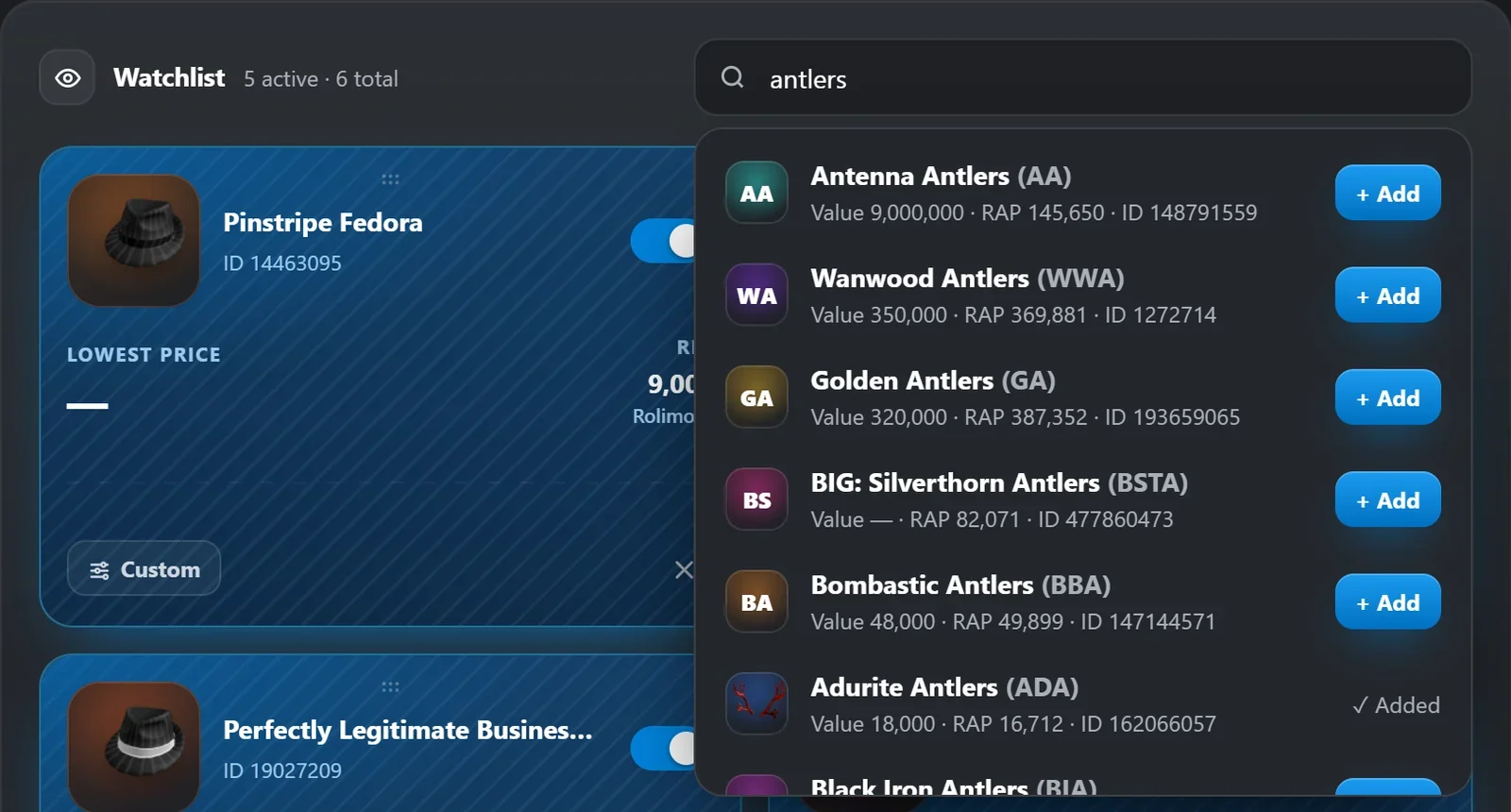
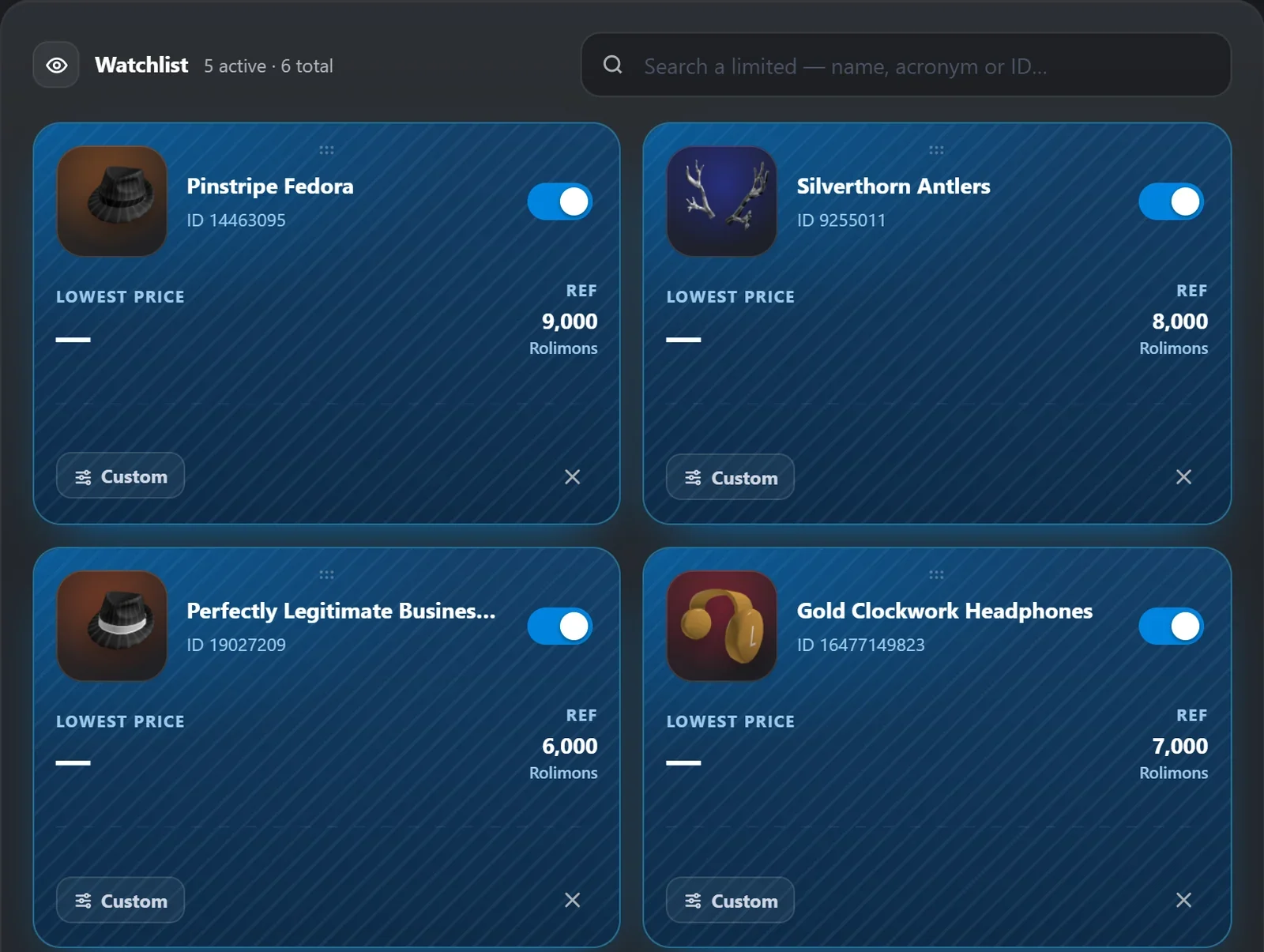
Blue cards are active. Custom sets a different buy % or max price for one item. Drag cards to reorder them.
Set your buying rules
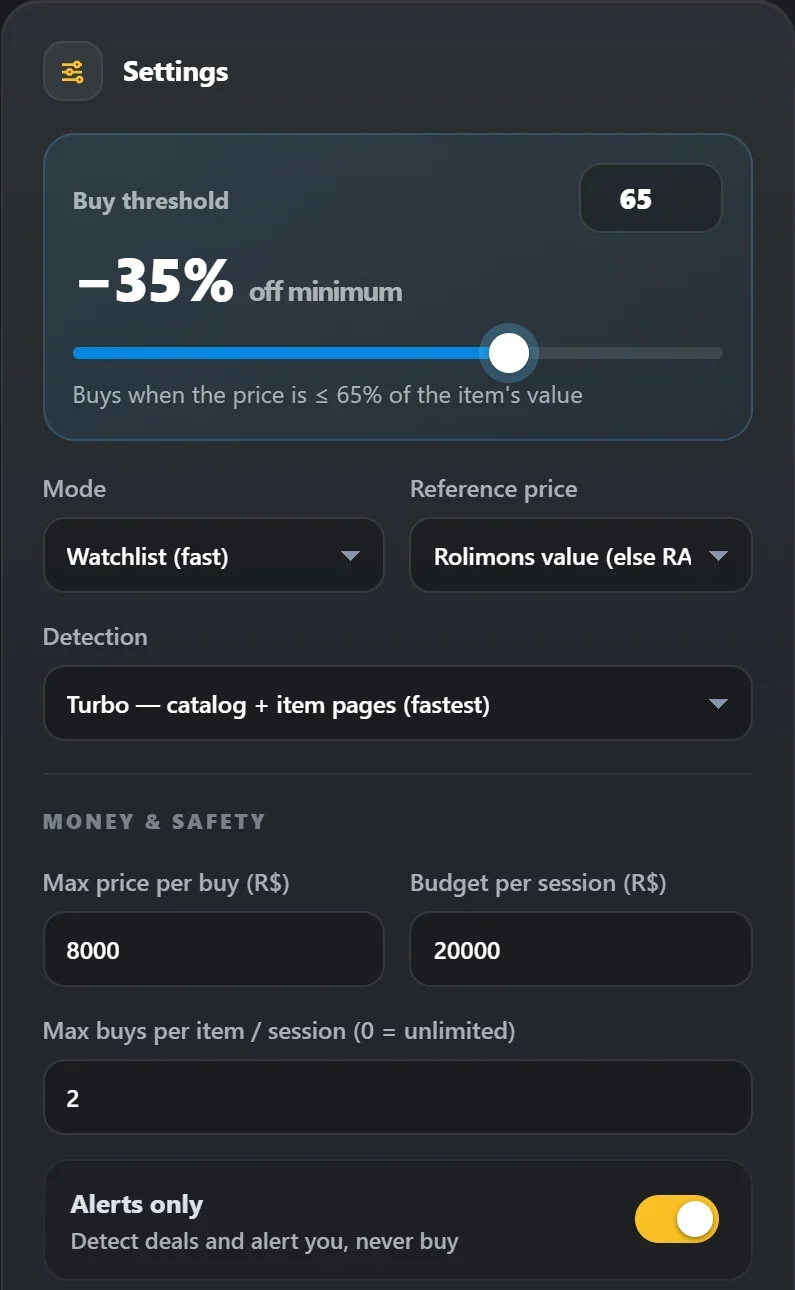
Press Save after changing anything. Changes apply right away, even while it runs.
Test with alerts, then go live
- Press Start at the top. With Alerts only on, the badge says ALERTS ONLY and nothing is bought.
- Watch the Live feed for a while. Every [ALERT] line is a deal it would have bought.
- Happy with what it finds? Turn Alerts only off and press Save. The badge turns to LIVE: from now on it buys every deal that matches your rules.

The badges at the top always show whether it's running and whether it can buy.
Using it day to day
Start LimitedSniper.bat. Your key, watchlist and settings are remembered. Press Start.If something goes wrong
"Python is not installed" or "'python' is not recognized"
Python isn't installed, or it was installed without Add python.exe to PATH. Run the Python installer again, choose Modify or reinstall, and tick that box. Then restart your PC and try again.
The black window opens and closes straight away
Open Command Prompt in the LimitedSniper folder (type cmd in the folder's address bar and press Enter) and run python LimitedSniper.py. Now the window stays open and shows the error.
The panel didn't open in my browser
Open http://127.0.0.1:8080 yourself. If the black window says the address is already in use, the app is already running in another window: use that one, or close it first.
"This license key doesn't work"
Copy it again from your account page. If you pressed New key, the old key no longer works: use the new one.
"Key in use on another PC"
A key works on one PC at a time. Press Use it on this PC: the app on the other PC stops at its next check. If that wasn't you, press New key on your account page.
"Your plan has ended"
Your plan wasn't renewed, so the sniper stopped. Renew it and the app unlocks by itself within 2 minutes, or press Check again.
"Can't check your license"
The app can't reach limitedsniper.com. Check your internet connection, and that your firewall or antivirus isn't blocking Python. If the site was reachable before, the app keeps working for up to 6 hours offline.
My Roblox cookie stopped working
Cookies stop working when that account logs out, changes its password, or Roblox signs it out. Get a fresh one (step 6) and press Connect again.
It's running but nothing gets bought
Check that Alerts only is off and saved, and that your threshold, max price and budget allow the buy. A low threshold like 50% finds very few deals. The Live feed shows why each deal was skipped.
"Your Basic plan allows 5 active items"
Turn another item off first, or move up to Pro (10 items) or Ultra (120 items).
Moving to a new PC
Install Python and the app on the new PC and paste your key. To keep your watchlist, copy sniper_config.json and sniper_history.json from the old folder into the new one.
Rather not keep your PC on?
Pro and Ultra run the same sniper in the cloud, 24/7, with nothing to install.